Features
How MXF Type works, and where it stops.
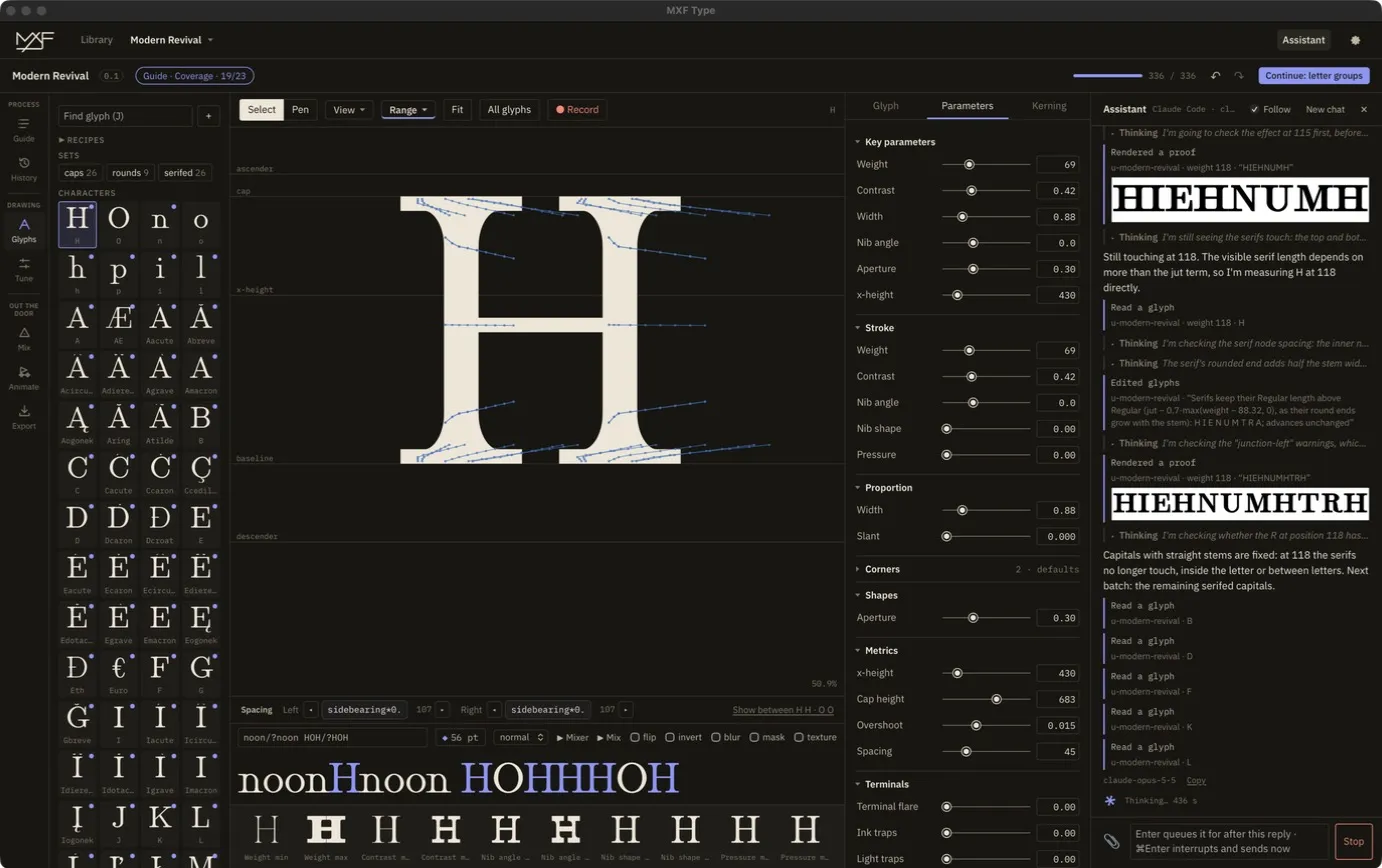
Metafont, with a drawing hand
In 1977 Donald Knuth began Metafont, a way to describe letters as programs: a pen, the path it travels, and the parameters that shape both. One program could yield a whole family. But you wrote it in code, and you couldn’t draw.
Type designers draw in outline editors instead: Glyphs, RoboFont, FontLab, FontForge. You place points and curves by hand and eye. But an outline is a fixed drawing. To get a range you draw each extreme yourself and the software blends between them.
MXF Type joins the two. You draw on screen, point by point, as in an outline editor, but what you draw is the pen’s path and the pen itself, so the letter stays a program. Change the pen and every letter is redrawn. As far as I know nothing else does both. Metapolator (2013–16) set out to, and stopped before it had a glyph editor.
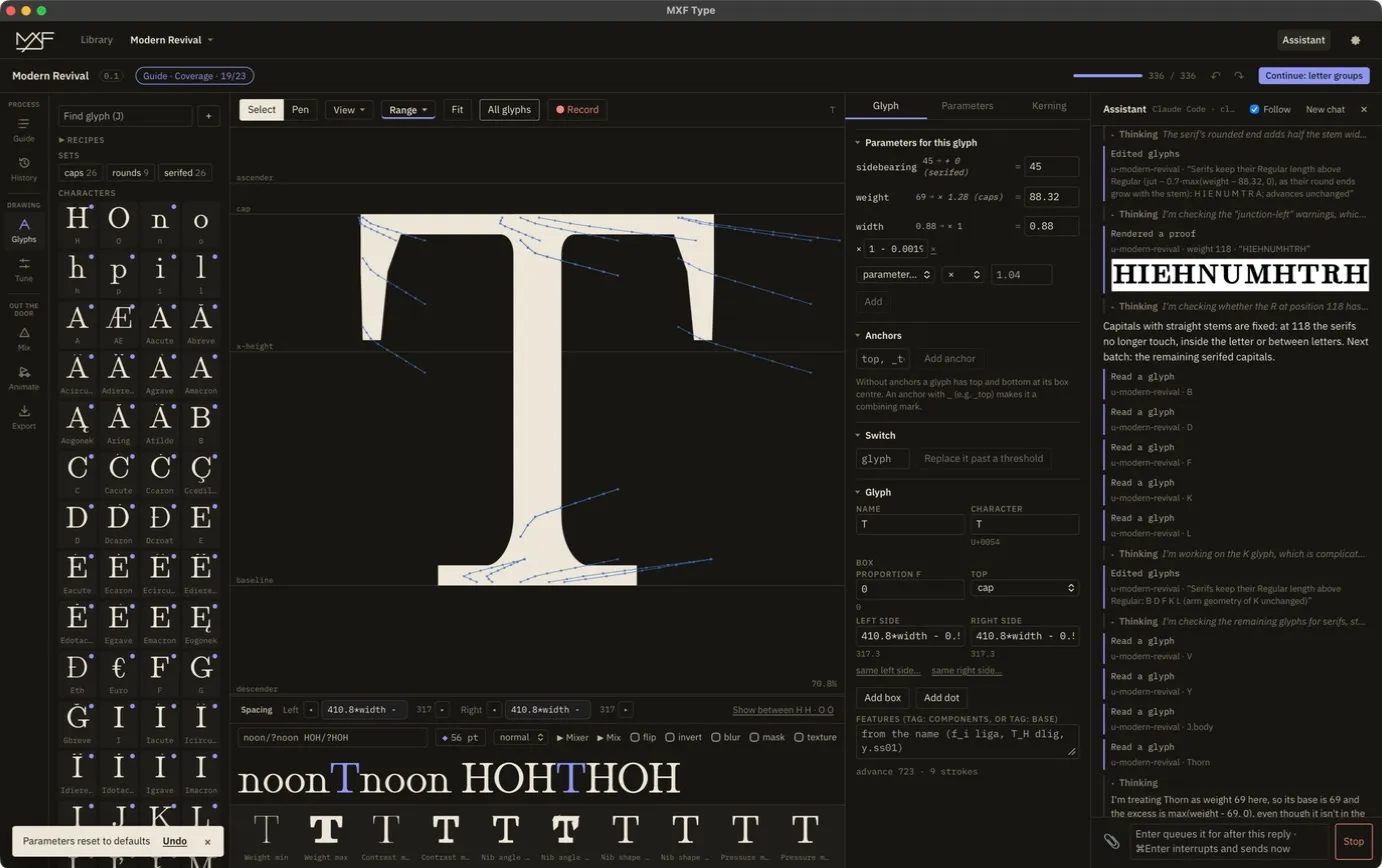
Start from a base
Included are Fetamont, Computer Modern Roman, Sütterlin and other school scripts, Calligra, Brush Script, Ortholinea, Amstelvar, Gust Sans and Mono: all live, all adjustable.
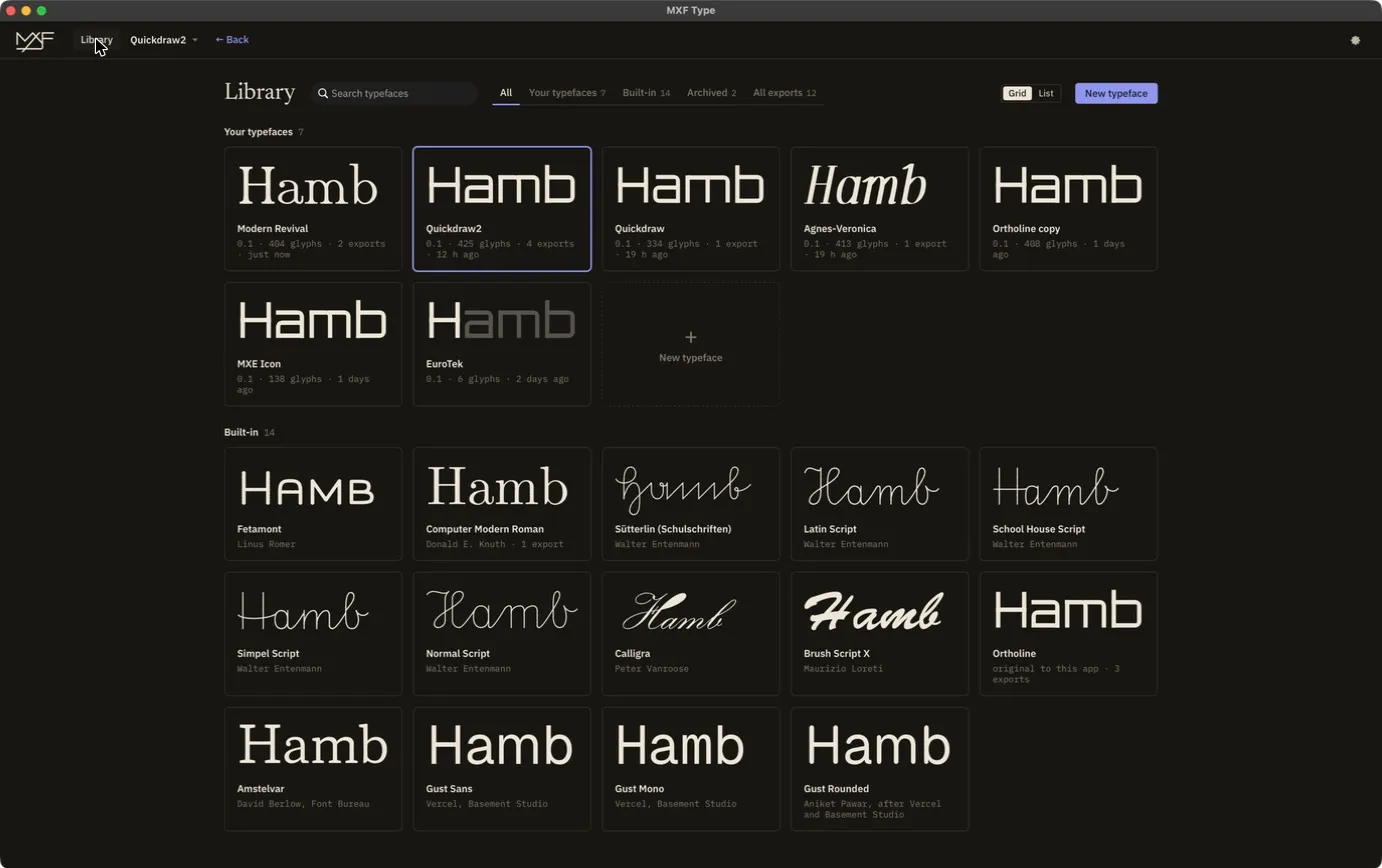
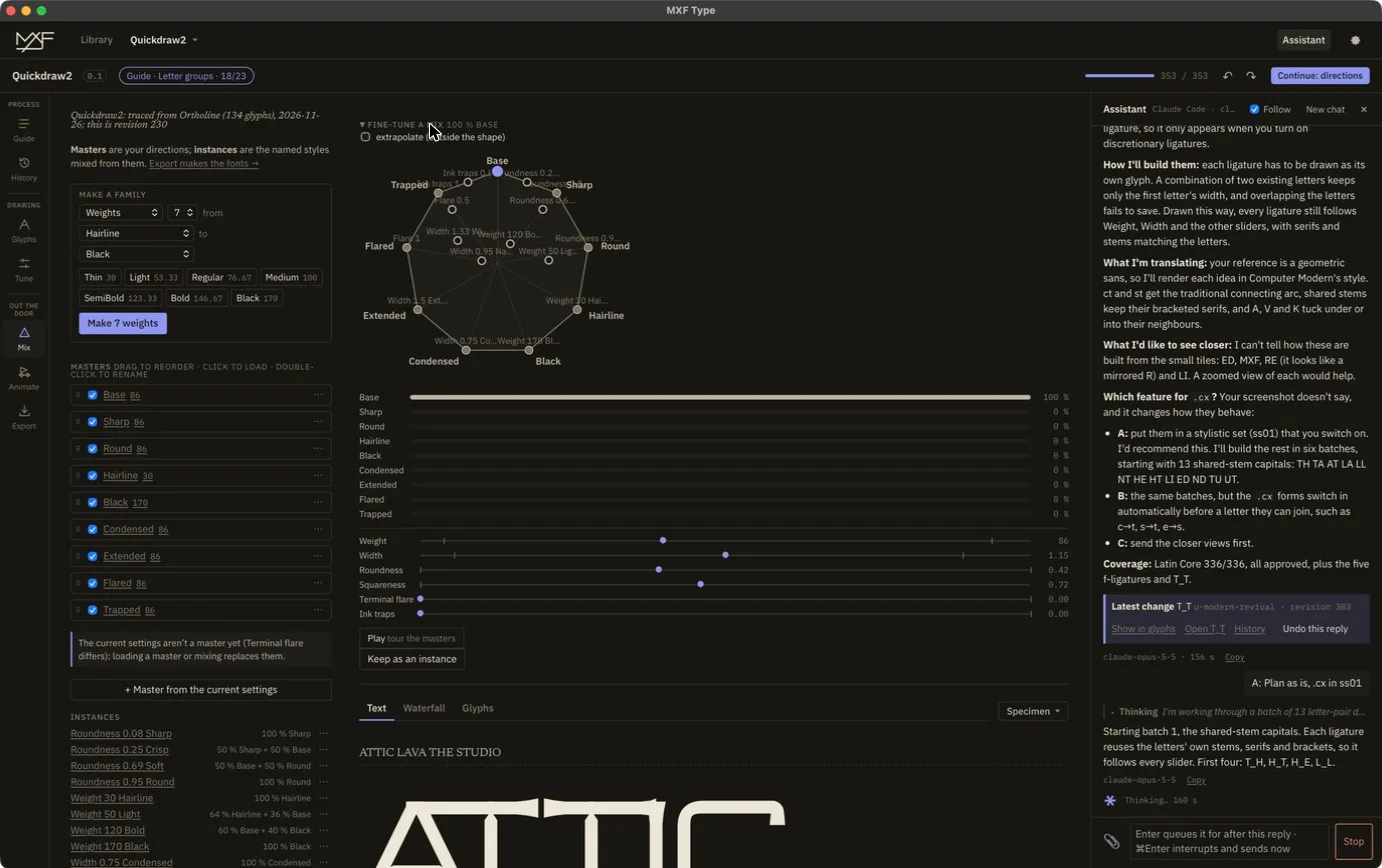
Adjust parameter sliders
Sliders change weight, width, contrast, slant and the shape of the terminals across the whole alphabet at once, and every setting can become an axis of a variable font.
- Key parameters
- weight, contrast, width, nib angle, aperture, x-height
- Stroke
- weight, contrast, nib angle, nib shape, pressure
- Proportion
- width, slant
- Corners
- roundness, squareness
- Shapes
- aperture
- Metrics
- x-height, cap height, overshoot, spacing
- Terminals
- terminal flare, ink traps, light traps
- OpenType features
- kerning, standard ligatures, localised forms, mark positioning and more, as the preview uses them
As grouped in the build shown above.
The preview is set with the font’s real OpenType features, so ligatures and alternates show as they will in use.
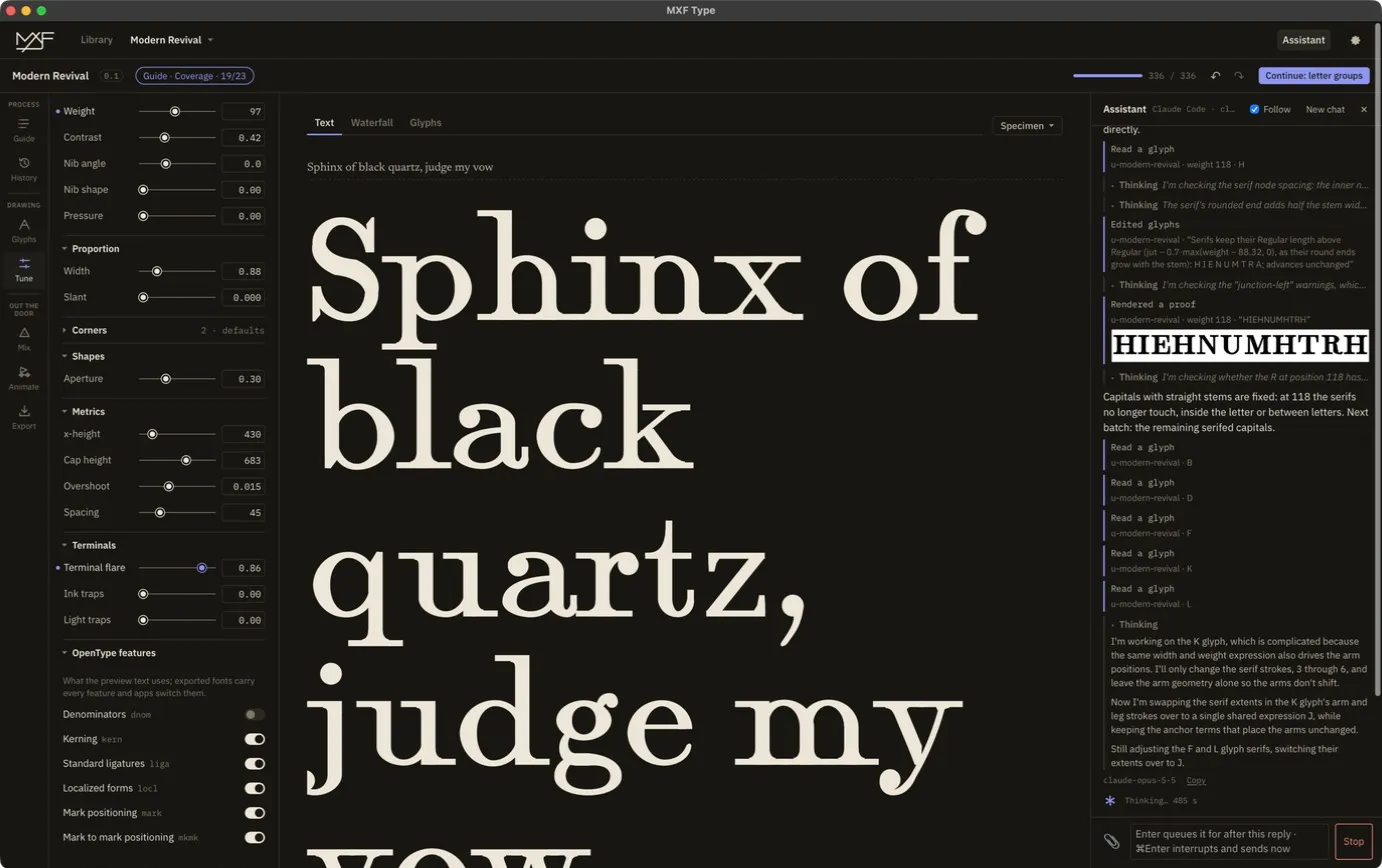
Draw your own
Each letter is a skeleton: points on a path, stroked by a nib (broad, pointed with pressure, or chisel) that can turn at every point. The paths are Hobby curves, the smooth splines Metafont itself uses.
The point structure is the same at every setting, so any parameter can become a variable axis without the masters falling out of step.
Guide, with a map
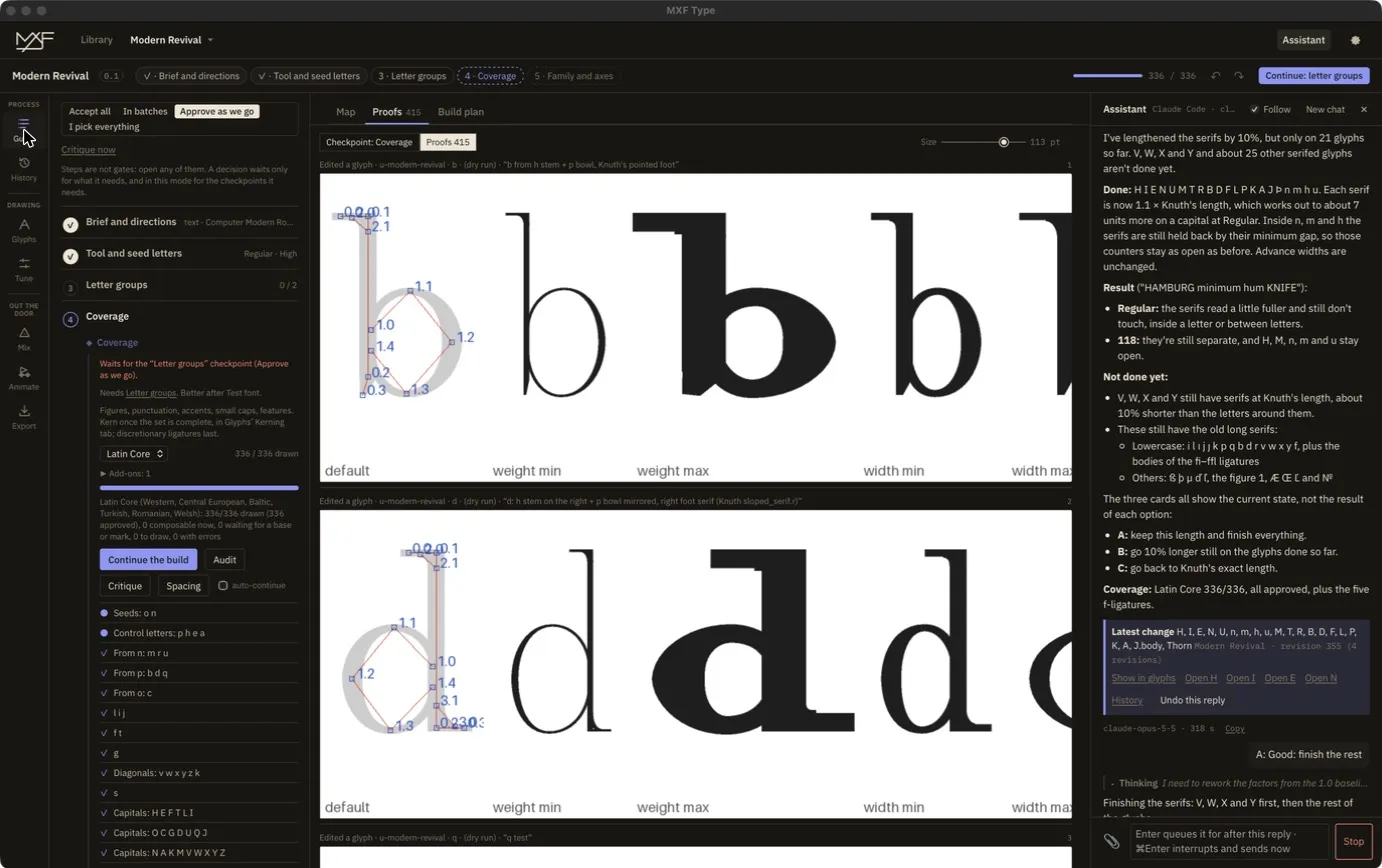
A new family starts from a brief and a handful of decisions: what it is for, the pen, the proportions, the construction, the details. The guide puts them in a suggested order and keeps track of what each one depends on.
Steps are not gates. You can open any decision; one waits only while something it needs is still open. The assistant works from the same map, so it knows which letters can be drawn yet and which have to wait.
1 · Brief and directions
2 · Tool and seed letters
3 · Letter groups
4 · Coverage
5 · Family and axes
Pen & contrast
Proportions
Construction
Details
1 · Brief and directions
2 · Tool and seed letters
3 · Letter groups
4–5 · Coverage, family and axes
Letter groups needs Control letters, Slant, Aperture and Terminals. Test font, Coverage, and Family and axes wait on it.
Ask for assistance
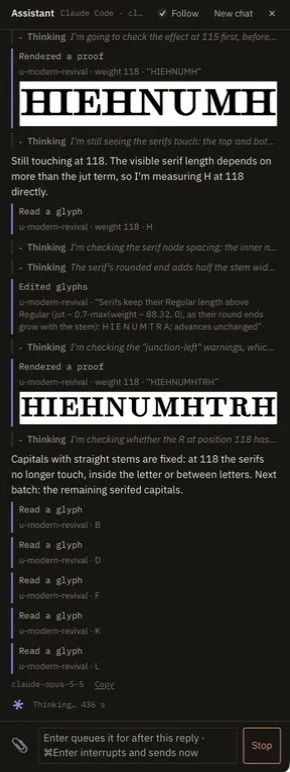
Describe a change; the assistant makes it with the same tools you use, and shows its steps. It reads the parameters, changes them and renders proofs for you to check. It can also draft a group of glyphs for your review.
The assistant needs a language model you provide.
Your own LLM provider: a cloud model through an API key or subscription, or a model running entirely on your Mac through a local inference server. Tested locally so far: Inkling 2 Mini and Qwen3.6 35B-A3B. Others should work but are untested, such as Gemma 4 26B. Local models need plenty of memory, roughly 32 GB, and they are slower and make more mistakes than the large cloud models. Everything except the assistant works offline, without any model.
Spacing, kerning, features
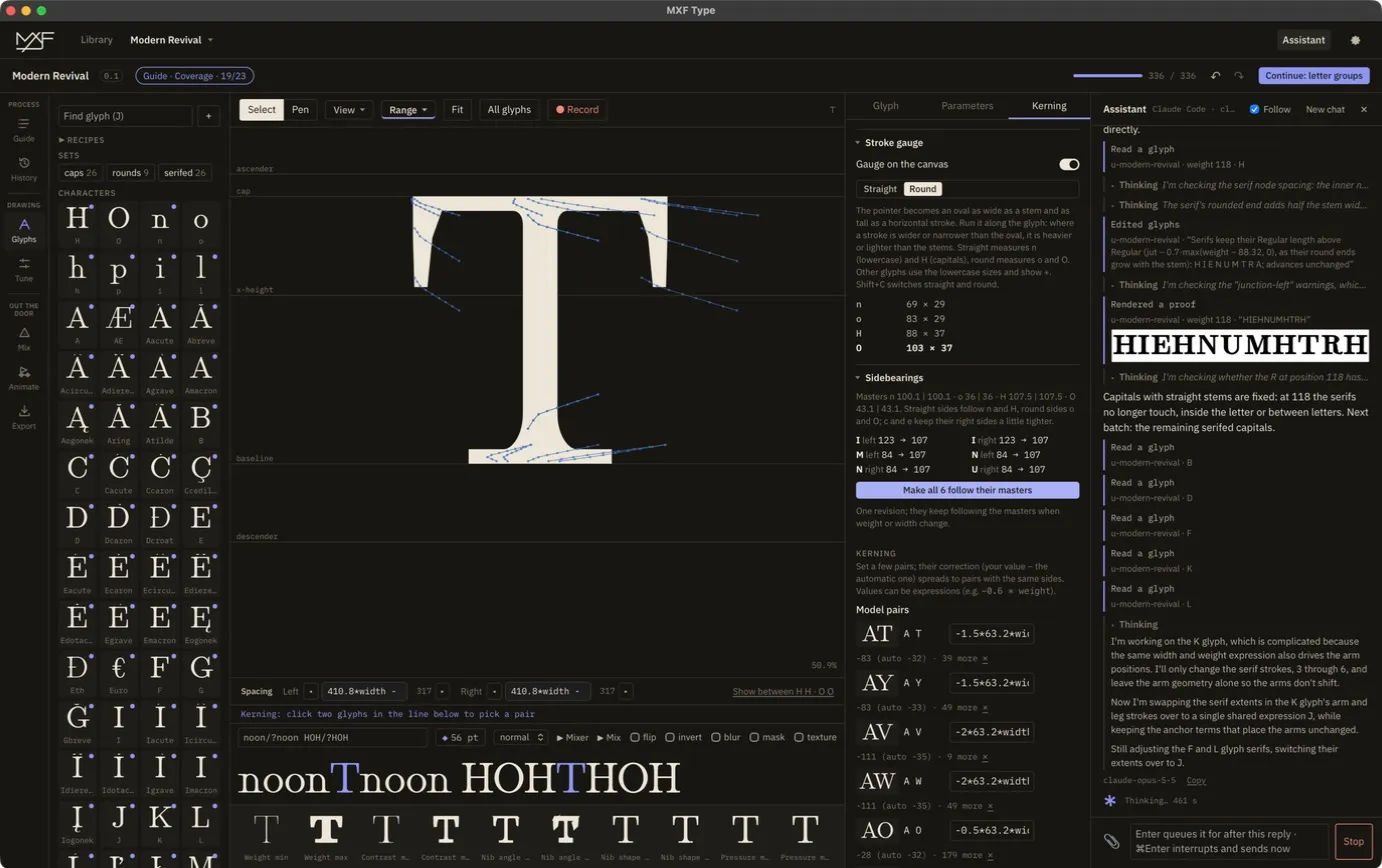
Spacing and kerning come from the letters’ own shapes, and stay adjustable. Character-set derivation, optical corrections and OpenType features from glyph names are built in.
A stroke gauge measures stems on the canvas; sidebearings follow their masters; a few model kerning pairs spread their correction to every pair with the same sides.
Version history
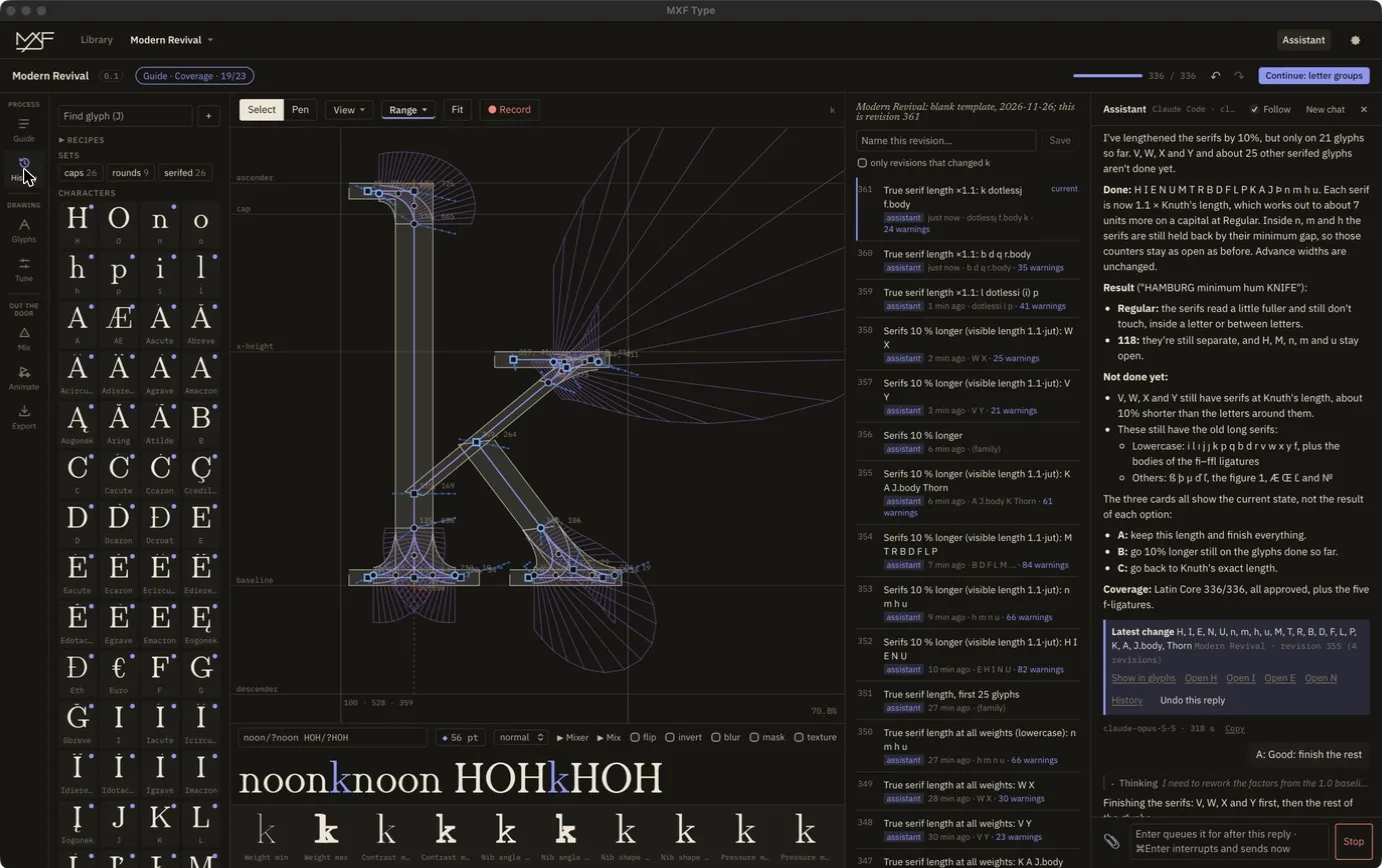
Every change is a revision, with undo and history. Each revision records the glyphs it touched and whether you or the assistant made it, so you can go back to any point, or undo one reply and keep the rest.
Mixing instances and mastering
Make a new master from the sliders, mix masters and keep what you like, or generate a family of instances between two of them.
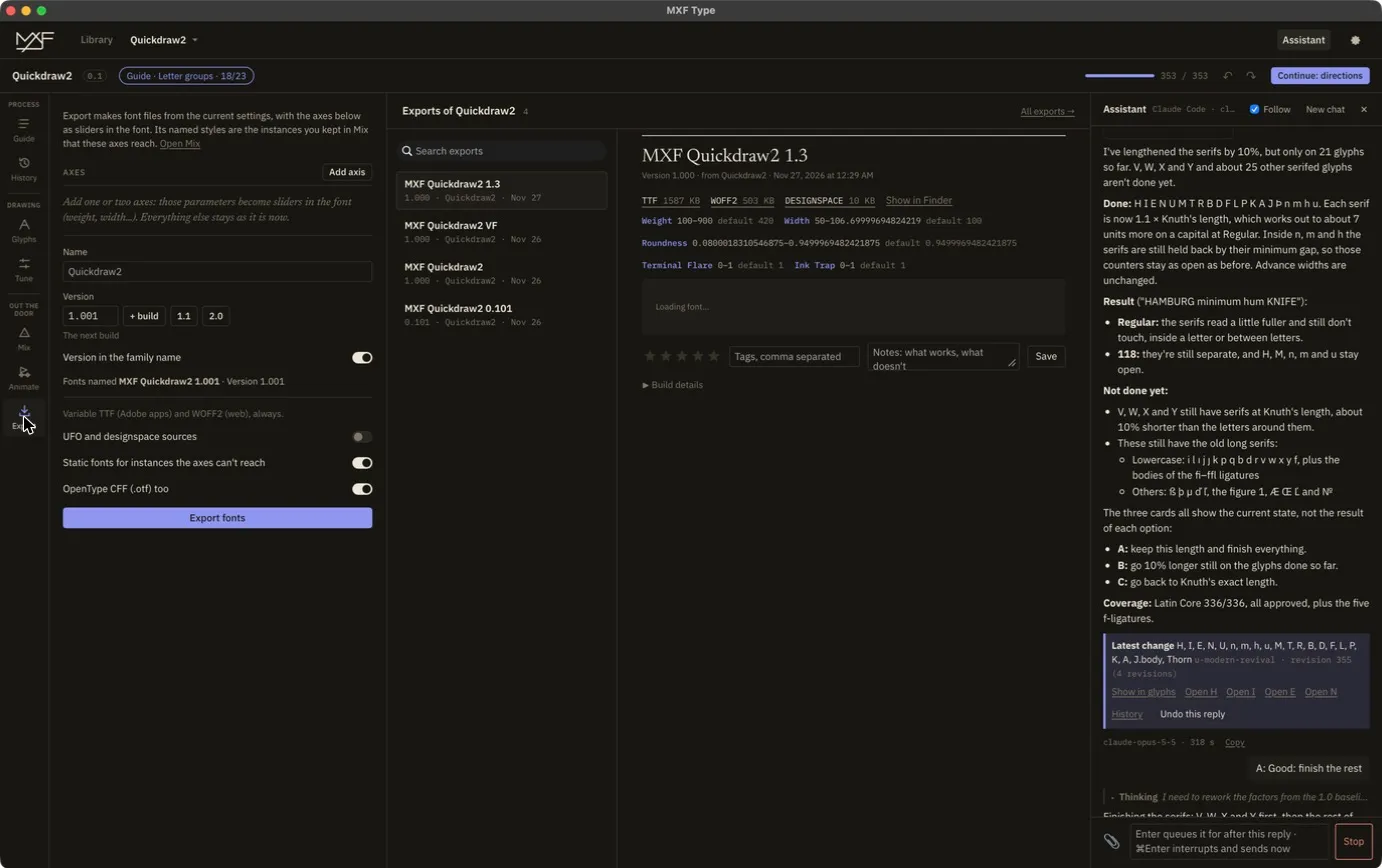
Instances that the export’s axes reach become named styles of the variable font; the others can be exported as static fonts.
Export
Animations
Animate moves a family through its design space, from one setting to another, so you can watch the letters change and record it.
Font files
| Variable TrueType (.ttf) | Adobe, System OS |
|---|---|
| Variable OpenType (.otf) & static .otf per style | print and design apps that prefer PostScript outlines |
| Static .ttf | apps without variable-font support |
| WOFF2 | the web |
| UFO 3 + designspace | finishing in Glyphs, RoboFont or fontmake |
Each export carries the source family’s licence. The axes you moved are the axes the font keeps. UFO and designspace hand the family on to Glyphs or RoboFont for final outline work.
Requirements
A Mac with Apple silicon (M1 or later) and macOS 13 or later.
For the assistant only: your own LLM provider, either a cloud model through an API key or subscription, or a model running locally on your Mac through a local inference server. Everything except the assistant works offline, without any model.
Requirements: Mac with Apple silicon chip, macOS 13 or later.
I read every request —JS